
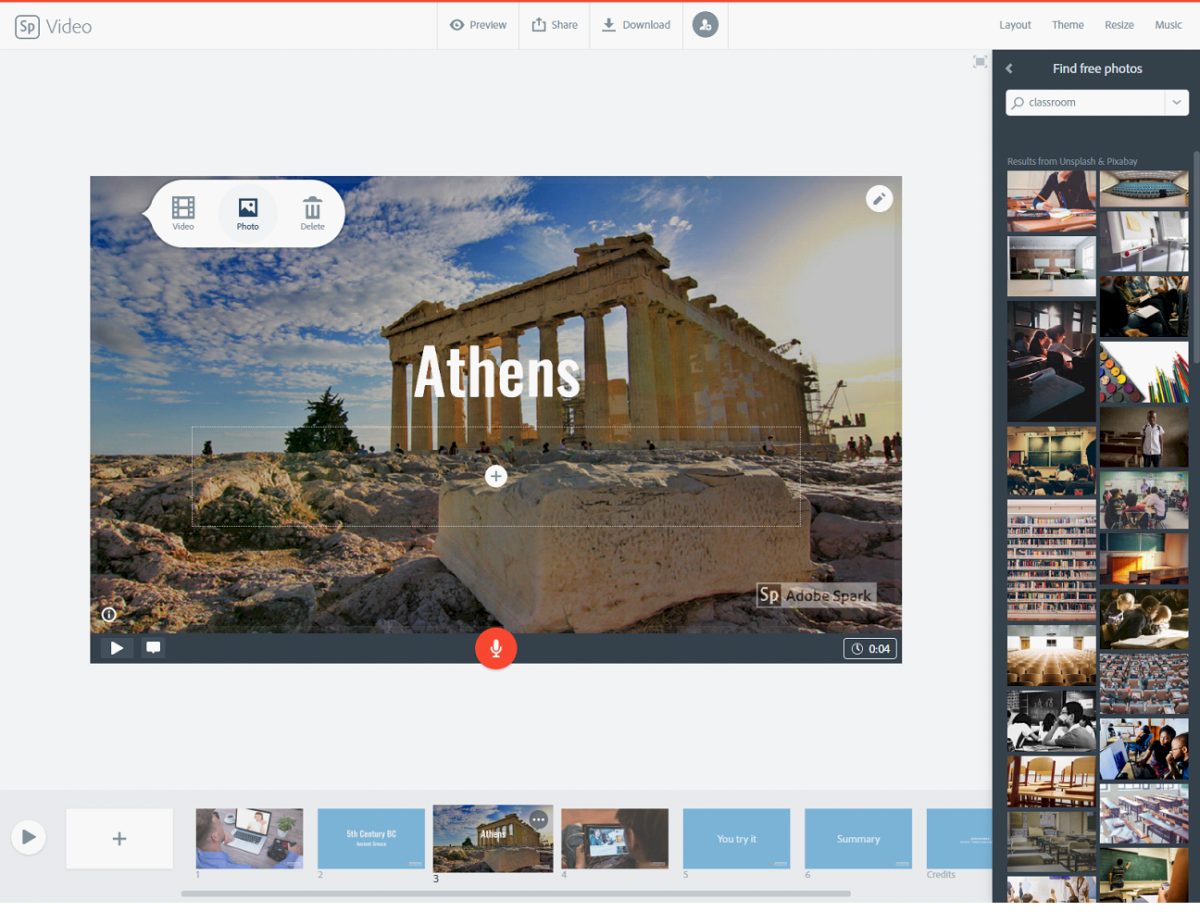
Adobe Spark is an integrated suite of 3 media design applications Spark Page, Spark Post, and Spark Video for mobile and web. As part of Adobe’s Creative Cloud all content created will automatically be saved on your own cloud space reserved by Spark. The free (but watermarked) Adobe Spark web app allows users to create, edit and share their visual story from any device including PCs. In the Spark Gallery users can find inspiring examples.
The user
interface is simple and fast: users can search and import own images, pictures
tagged with the Creative Commons licensed for reuse or commercial stock images
(for pay). With Spark you basically can create 3 types of content: graphics, web
pages or animated videos. You can start from a template or from scratch. The
templates do effectively guide you in such a way that your end product will
look pretty glossy. Pop-up prompts guide you through the features — for
example, to apply a design filter, or to record your voice. You can upload
photos from your own cloud storages (Dropbox, Google Photos) or from your local
hard disk, add Creative Commons images. Videos from YouTube or Vimeo can be
uploaded and embedded, (library or own) music and voice over can be added. When
you finished your work, it can be shared via social media, email, or shareable
link. Videos can be downloaded in mp4 format or embedded. On the Adobe web
site, you can find good ideas from teachers on how they are Adobe Spark in the
classroom. Definitely a good tool specially to help students create quality
presentations and visual materials. If you need lots of customization and
tweaking, this may not be the right tool, in that case you are better off with
proper presentation and media production software.
Adobe Spark
is available as a web application as well as on iOS and Android. Free. Paid
subscription is required to remove watermark.