
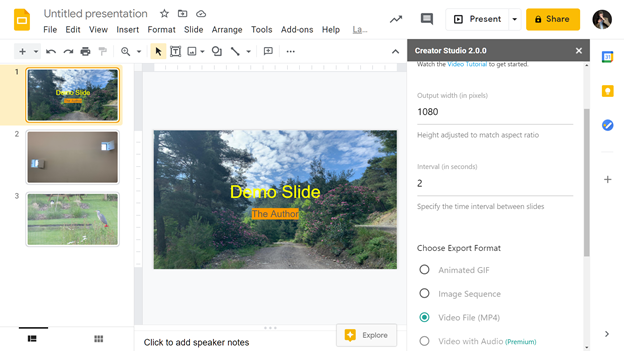
If you are happily working with Google Slides but you miss some functionalities that PowerPoint offers, then Creator Studio may be useful to you. For example, if you want to convert your Google Slides into an animated GIF, or when you want to export your presentation in a MP4 video, you can install a simple add-on that does just that and a few other nifty things, like for example extract speaker notes or sync PowerPoint with a YouTube video: Slidecasts allows you to play a YouTube video and a PowerPoint presentation in sync side by side. Furthermore, you can add background music and voice narration to your exported presentations, or export Google Slides as image sequences (in PNG of your choice of resolution). Due to the limitations of Google Slides, transitions effects, slide animations and embedded audios or videos will not play in the exported video, which is a slight drawback. Free as an add-on with Google Slides (adding audio to video is a premium option)
You may also like



Recent posts


