
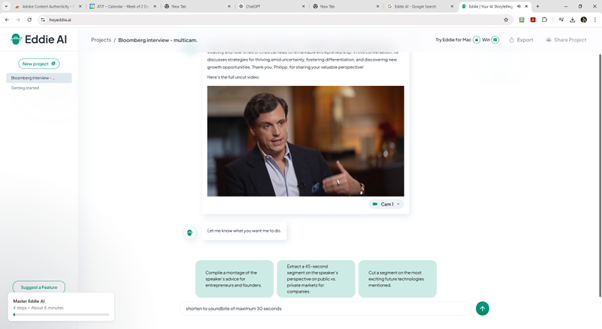
Eddie AI is a revolutionary video editing tool designed to simplify and expedite the editing process. Its user-friendly interface and AI-driven capabilities can be appealing to both professional editors and casual users. Developed by the developers that also built tools like SimonSaysAI and Storylines, Eddie AI builds on innovative video technologies. The tool works on the basis of prompts like ChatGPT and enables users to perform precise edits by simply issuing text commands, which goes fast and proves to be very efficient. It is particularly effective for trimming long videos into short sequences. Integration with major editing platforms like Adobe Premiere Pro, DaVinci Resolve, and Final Cut Pro ensures seamless workflows for professionals. Videos can be exported in multiple aspect ratios or social media-ready formats. However, Eddie AI is not without limitations. While its edits are quick and accurate, certain features, such as auto-captioning and video reframing for different aspect ratios, can be tricky. For example, converting 16:9 videos into 9:16 formats sometimes produced poor results, particularly if the original content wasn’t designed with reframing in mind. Eddie AI has great potential for video editing, it can save a lot of time, for example when cutting very long interviews. Is this the future of video editing? Well… it is very promising for experienced editors and for unexperienced content creators alike. Eddie is currently freely available which makes it worth exploring.